
One EDC Platform.
No More Switching Between Clinical Data Management Tools.
Replace fragmented systems with OpenClinica — purpose-built electronic data capture and eCRF software for sponsors, CROs, and academic research teams who need 21 CFR Part 11 compliance, flexible study design, and dedicated support without enterprise complexity or cost. And your study build is on us — send us your protocol and get a complete, validated study, free, in days.
Who It’s For

Academic Researchers
Move beyond DIY tools with compliant templates that speed IRB approval.

Sponsors & CROs
Launch studies in weeks without IT bottlenecks or enterprise bloat.

Sites & Coordinators
Intuitive interface and 24/5 support reduce site burden and improve data quality.
Benefits
Start with a free, expert-managed study build
Send your protocol, get a validated study in days. Or build it yourself in hours with drag-and-drop tools and templated CRFs.
Cleaner data, fewer queries
Real-time edit checks reduce rework by up to 50%.
Sites that say "yes"
An intuitive interface you’ll actually enjoy using.
Modular by design
Use EDC on its own, or connect it with Recruit, eCOA, Randomization, eConsent, EHR-to-EDC, or Reporting & Analytics when you're ready—everything works together.
Regulatory ready from day one
21 CFR Part 11, HIPAA, GCP, and GDPR compliance built in.
Integrated medical coding
Code adverse events and medications where your data lives—no third-party tools or audit trail gaps.
What Could You Do With Intelligent Enrollment?
Trusted by 1500+ sponsors, CROs, and research sites worldwide

"We've enjoyed a very strong relationship with OC. They are very supportive of our changing needs, and this solution provided robust core EDC system as a very cost effective option for our growing data management programs. Their trainers and programming consultants have been exceptional at helping us learn and navigate the system. The customer service has been exceptional."
John R.
Sr. Director, Clinical Research

"OpenClinica team members work hard to both understand what their users need and proactively update the software with new features."
Design Researcher

"The new features of real-time queries, and auto-saving features really improve the user experience for data entry persons."
Senior Clinical Research Data Manager

"Flexible and agile design with robust web services – OpenClinica delivers… The OpenClinica design tools make it easy for non-technical resources to make, test, and then deploy changes while maintaining compatibility with previous iterations."
Leading Clinical Laboratory Services Company
![I have worked with OpenClinica for more than 15 years and loved how it has developed. The most important pros are the ease of setting up a new study and the management functions. I cannot think of anything [as a con], I have worked with clinical studies my entire professional life and used any tool on the market and OpenClinica has resolved all the issues.](https://www.openclinica.com/wp-content/uploads/2025/12/testimonial_5.jpg)
"I have worked with OpenClinica for more than 15 years and loved how it has developed. The most important pros are the ease of setting up a new study and the management functions. I cannot think of anything [as a con], I have worked with clinical studies my entire professional life and used any tool on the market and OpenClinica has resolved all the issues."
Krister K.
CTO

"Easy to create and update forms for data collection."
Vanessa G.
Head of IT
Trusted by 140+ sponsors, CROs, and research sites worldwide
How it Works
Our modular EDC works the way you do: fast setup, intuitive forms, and built-in compliance. No hidden fees. Flexible packages that fit your study volume and protect your budget. Whether you build it yourself or start with your free study build, you get CSM support and 24/5 application assistance — all included.
Build with confidence
Design your study with drag-and-drop tools or pre-built CDASH templates—guided by our support team
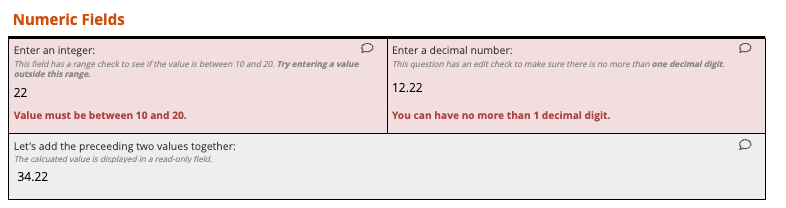
Capture clean data
Sites enter data with real-time validation and edit checks that catch errors instantly
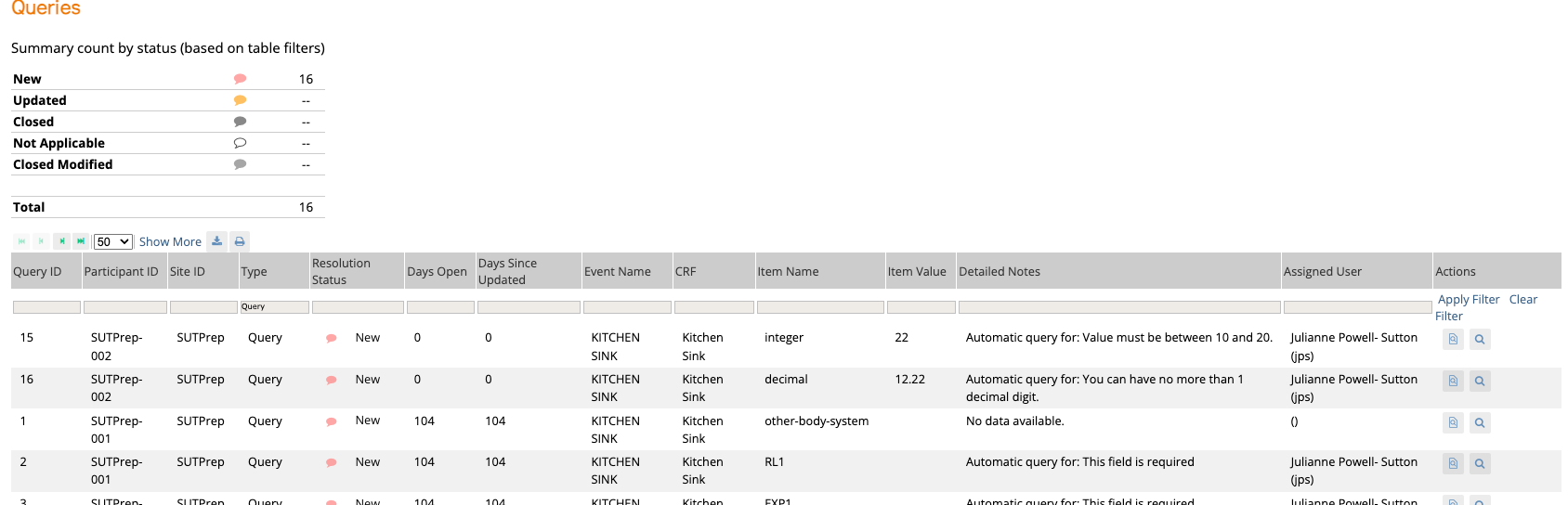
Monitor and collaborate
Track progress, manage queries, and perform SDV with centralized oversight
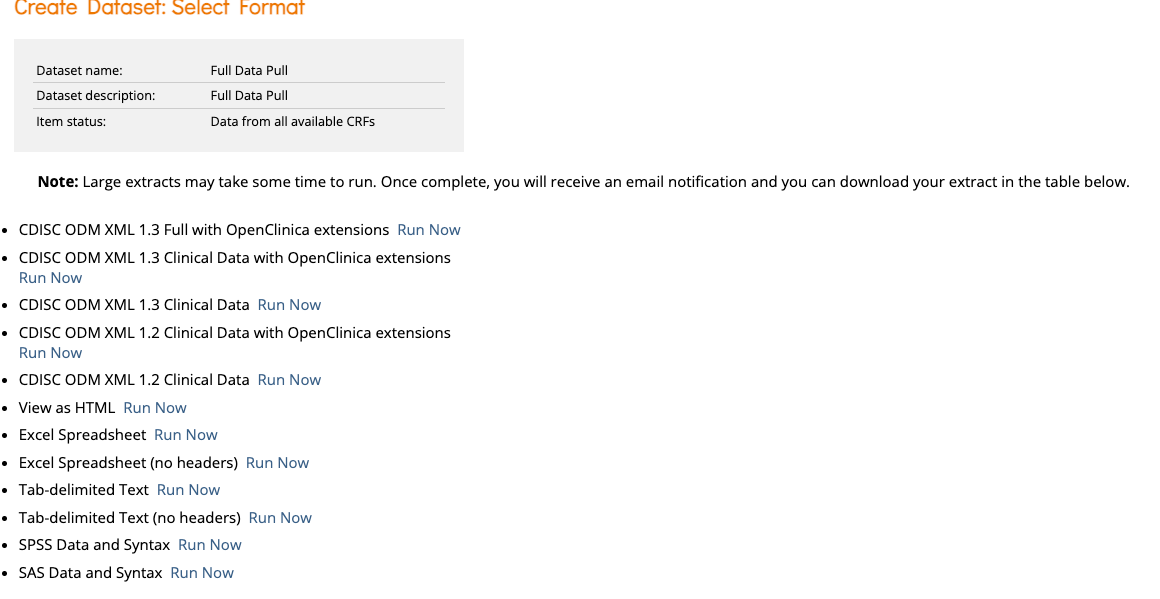
Report and submit
Export submission-ready data with complete audit trails
Build with confidence
Design your study with drag-and-drop tools or pre-built CDASH templates—guided by our support team
Build with confidence
Capture clean data
Sites enter data with real-time validation and edit checks that catch errors instantly
Capture clean data
Monitor and collaborate
Track progress, manage queries, and perform SDV with centralized oversight
Monitor and collaborate
Report and submit
Export submission-ready data with complete audit trails
Report and submit
Ready to make data capture the easiest part of your trial?
Ideal For
- Multi-Site Studies
- Academic & Investigator-Initiated Research
- Complex Protocols
- Device & Diagnostics Studies
- Remote & Hybrid Data Capture
- Regulatory Submission-Ready Trials
Features
- Free expert-managed study build included
- Templated CRFs you can trust
- Real-time edit checks & validations
- Role-based permissions
- Audit-ready trials (21 CFR Part 11, HIPAA, GDPR)
- Flexible study designs
- Connects with all OpenClinica tools
- Transparent, study-based pricing
- Classify adverse events using OpenClinica Code
- Drag-and-drop form builder
Ready to see how EDC can work for your team?
Let’s talk about your study needs. Our team will help you understand how OpenClinica’s EDC fits your workflows—from your free study build to the support that keeps sites engaged.